















SMS URL Shortener and Short Links
Use the built-in URL Shortener to tidy long links into tiny URLs
Introduction
SMS messages have a limited length, so you want to save characters!
TNZ's SMS service has a built-in automated URL Shortener.
Why use TNZ's URL Shortener?
A couple of benefits:
- It's free to use
- It's built into the TNZ service - no external system needed!
- It uses tnz.nz links, or use your own short domain for an additional fee
- It uses unique links per mobile number so you can track who opens which links, when, and on which device, all from within the TNZ Dashboard
You can send a maximum of 9 links per message.
How to send short links using TNZ's URL Shortener
Dashboard
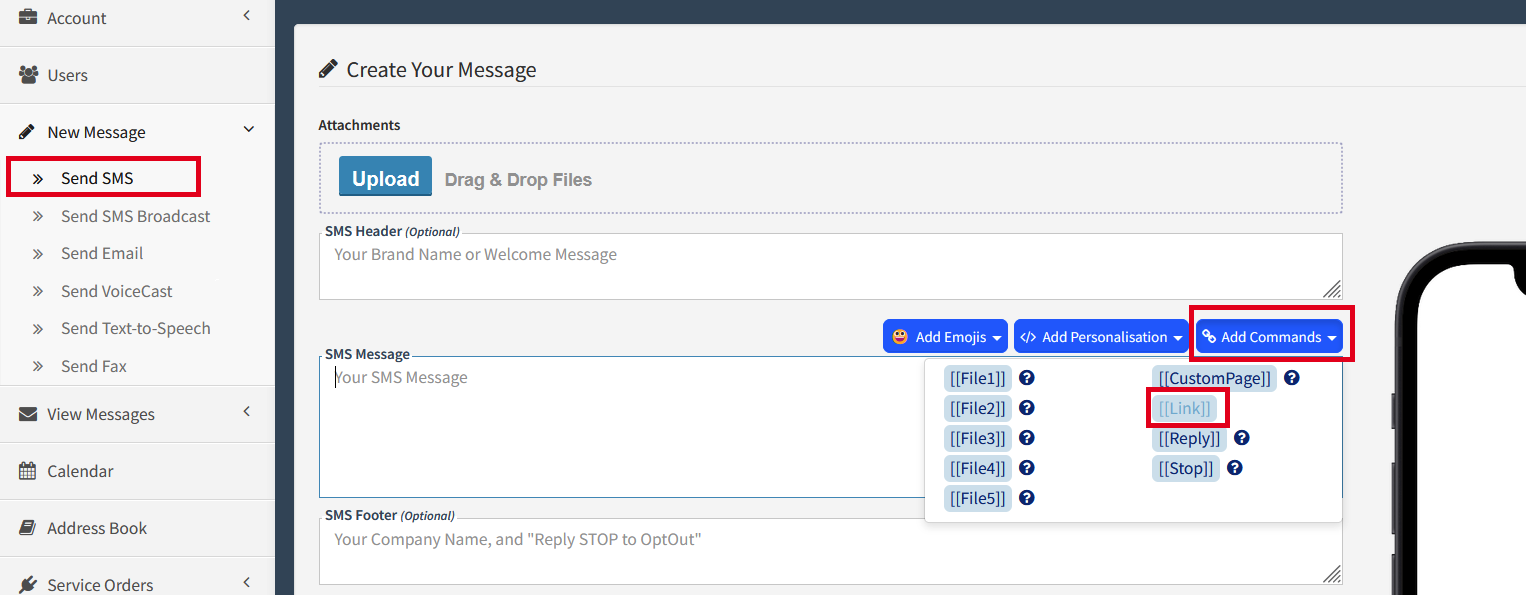
When using the Dashboard, the Link tool can be found under Send SMS | Add Commands | [[Link]]
APIs & Email-to-SMS
Simply insert the Link command into the SMS message.
You send:
| Check the link for info: [[Link:https://www.company.com/path/to/long/link.html?ExtraParameters=Value]] |
The mobile receives:
| Check the link for info: tnz.nz/A1B2C3 |
How to track clicks and opens
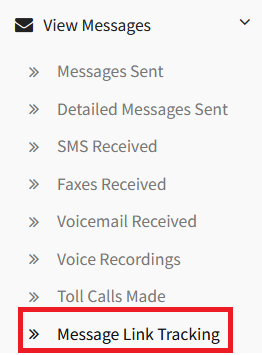
From the TNZ Dashboard, select View Messages | Message Link Tracking to see link reports.
Topics: SMS
Start your free trial today!
Ready to revolutionise your messaging?
Connect with people anywhere - boost engagement, responses and conversations.
20 credits over 14-days. No obligation. No credit card required.