









REST API Docs
WorkflowSMSEmailVoiceText-to-Speech (TTS)FaxWhatsAppRCSWebhooksAddress BookOpt-OutPartner APIAPIs, Libraries & SDKs
 REST API
 TypeScript
 SMPP
SMPP Python
 MCP
MCP .NET
.NET SMTP Gateway
 VBA
VBA Flexi API
 HTTPS API
 SOAP API
 Other Tools REST APITypeScriptSMPPPythonMCP.NETSMTP GatewayVBAFlexi APIHTTPS APISOAP APIOther Tools
 The [[REPLY]] command adds a clickable link that mobiles can use to reply for free via the web.
A few benefits worth knowing about:
No reply text cost — recipients reply via the web instead of SMS.
Customise the reply page with your own branding, quick replies, selectable forms, and feature-rich replies.
Part of the TNZ service (no external system needed).
Uses tnz.nz links by default, or purcahse a custom short domain for an additional fee.
Unique links per mobile number - track who opens which links, when, and on which device, all from within the TNZ Dashboard.
You can use Reply Link from any system. It's supported by the Dashboard, Email-to-SMS, and APIs. Simply insert the REPLY command into the SMS message.
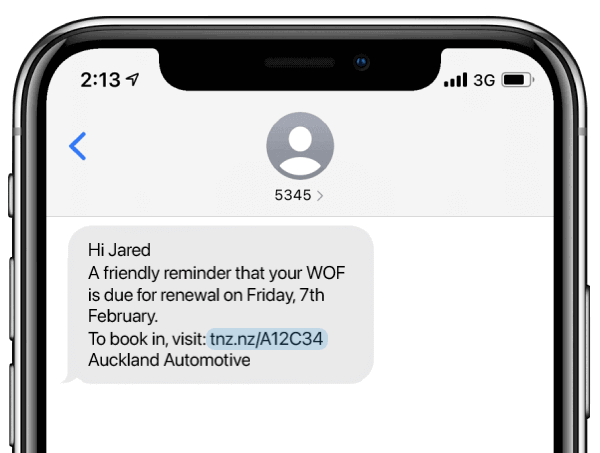
When clicked, the link sends the user to your landing page. This can be customised to suit your branding and requirements — see SMS Custom Landing Pages for details.
| From the TNZ Dashboard, select View Messages | Message Link Tracking to see reports. |
| From the TNZ Dashboard, select View Messages | SMS Received to see reply texts — these are merged with normal text replies for a seamless experience. |
Topics: SMS
Ready to revolutionise your messaging?
Connect with people anywhere - boost engagement, responses and conversations.
20 credits over 14-days. No obligation. No credit card required.