









REST API Docs
WorkflowSMSEmailVoiceText-to-Speech (TTS)FaxWhatsAppRCSWebhooksAddress BookOpt-OutPartner APIAPIs, Libraries & SDKs
 REST API
 TypeScript
 SMPP
SMPP Python
 MCP
MCP .NET
.NET SMTP Gateway
 VBA
VBA Flexi API
 HTTPS API
 SOAP API
 Other Tools REST APITypeScriptSMPPPythonMCP.NETSMTP GatewayVBAFlexi APIHTTPS APISOAP APIOther Tools
 A clear SMS opt-out method lets recipients stop messages when they no longer want them. With TNZ, they can reply with a keyword such as STOP. You can also add a clickable opt-out link to the message. TNZ records the request and blocks later SMS messages under the applicable opt-out settings.
If your messages are classified as "commercial" under the applicable Spam Act rules, adding an unsubscribe instruction is mandatory.
In other cases, adding an unsubscribe instruction is good practice to give recipients an easy way to block further messaging, reducing their annoyance, and wasting your SMS costs!
Use an SMS reply option as the standard unsubscribe method. You can also include a TNZ opt-out link.
[[STOP]] command to your message. For example, "Click [[STOP]] to opt out." TNZ replaces the command with an individual opt-out link when the message is sent.When an inbound SMS begins with one of the following keywords, TNZ automatically adds the sender’s mobile number to your opt-out list. Keywords are not case-sensitive.
STOPOPTOUTOPT OUTOPT-OUTUNSUBUNSUBSCRIBEOpen the Dashboard > Service Settings > Opt-Out List to review opted-out mobile numbers or add a number manually.
To check whether an inbound message triggered an opt-out or opt-in, go to View Messages > SMS Received. The message’s status shows whether the mobile number was opted out or opted back in.
By default, opt-outs apply across the account.
You can configure opt-out management by SubAccount, Department or User when separate suppression lists are needed. For example, an agency may keep each client’s SubAccount separate, while a business may separate its Accounts and Marketing departments.
In the Dashboard, open Users, select the relevant user, and review the Opt-Out Management section.
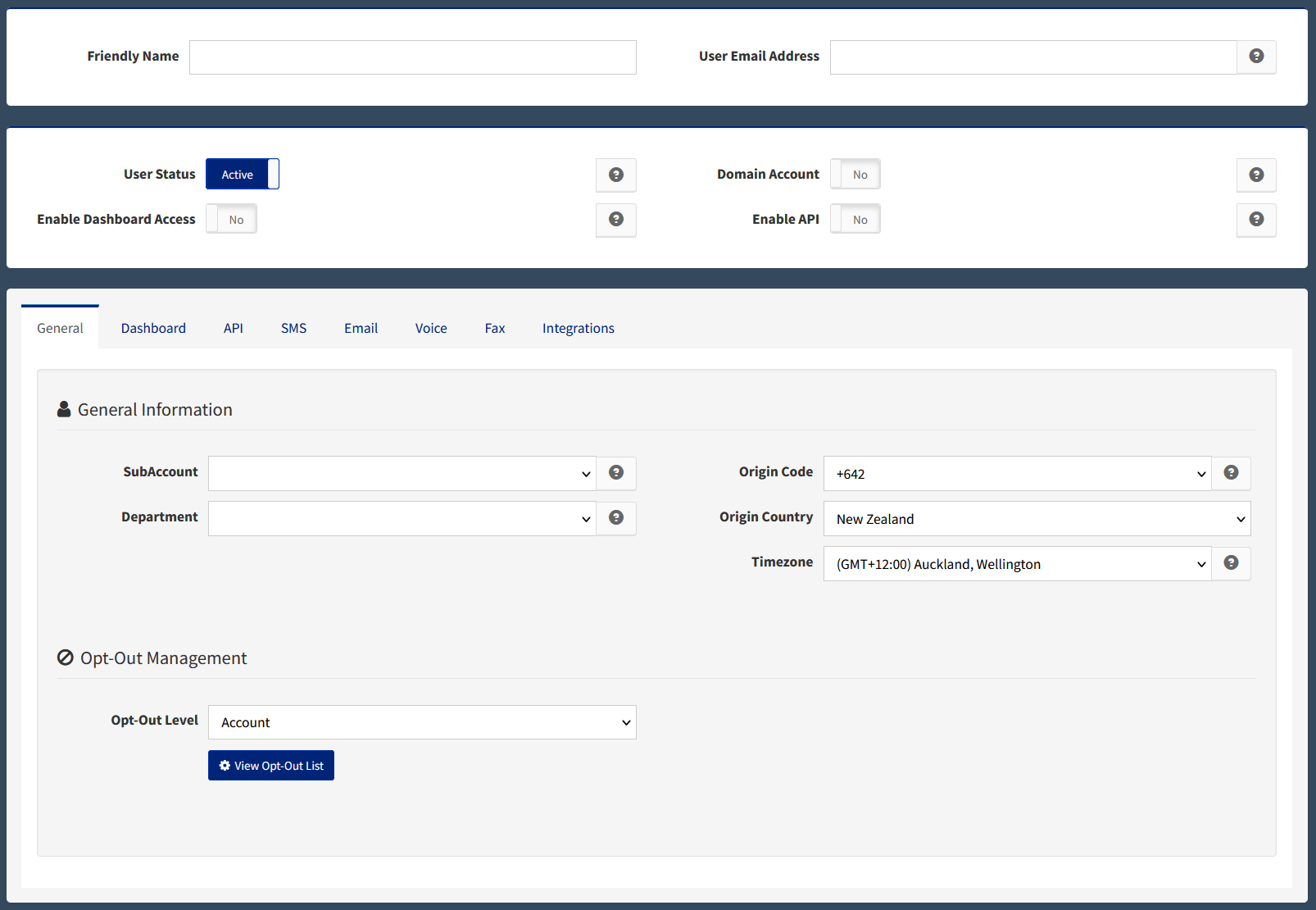
A recipient can remove their number from the suppression list by replying with one of these opt-in keywords. Keywords are not case-sensitive.
STARTSUBSCRIBEUNSTOPOPTINOPT INOPT-INTNZ first treats the inbound SMS as a reply, then applies the opt-in to the last message sent to that mobile number. This means the opt-in applies to the user who sent the last message to the mobile number.
The TNZ REST API can list, create, update and delete opt-out entries. It also supports more specific suppression rules by message type, SubAccount and Department. See the Opt-Out API documentation for endpoints and request details.
If a recipient has blocked your sending number on their phone rather than opting out through TNZ, see Messages Not Appearing on a Recipient’s Mobile Device.
Topics: SMS
Ready to revolutionise your messaging?
Connect with people anywhere - boost engagement, responses and conversations.
20 credits over 14-days. No obligation. No credit card required.